
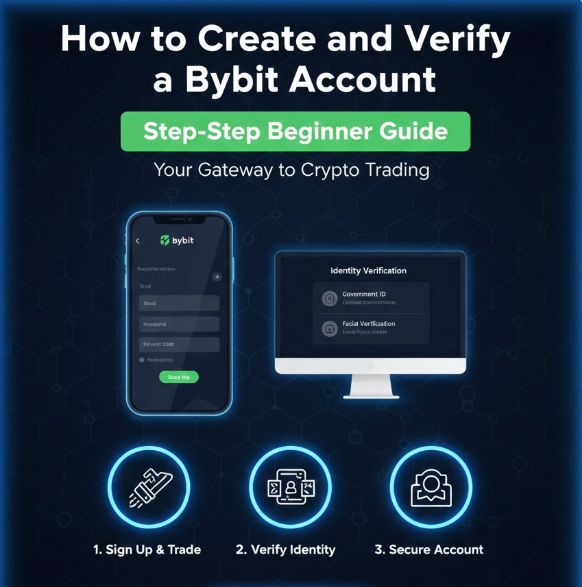
Bybit is one of the world’s leading cryptocurrency trading platforms, known for its advanced trading tools, strong security infrastructure, and support for both beginners and professional traders. If you are new to crypto or switching exchanges, learning how to properly create and secure a Bybit account is essential.
This complete beginner guide walks you through everything you need to know, including account creation, identity verification (KYC), security setup, and common mistakes to avoid so your funds and data stay protected.
What Is Bybit and Why Choose It?
Bybit is a centralized cryptocurrency exchange that allows users to:
-
Buy and sell cryptocurrencies
-
Trade spot and derivatives markets
-
Store digital assets securely
-
Access advanced trading tools
Key Reasons People Use Bybit
-
Clean and beginner-friendly interface
-
High liquidity and fast order execution
-
Strong security features
-
Competitive trading fees
-
Availability in many regions
Before you can trade or withdraw freely, you must properly set up and verify your account.
Step 1: Preparing Before You Sign Up
Before creating a Bybit account, make sure you have:
-
A valid email address or mobile phone number
-
A secure device (not a public or shared computer)
-
A stable internet connection
-
A government-issued ID for verification
-
A few minutes to complete setup without rushing
Proper preparation reduces errors and security risks.
Step 2: How to Create a Bybit Account
Step 2.1: Visit the Official Bybit Website or App
Always access Bybit through its official website or official mobile app. This helps protect you from phishing sites that imitate crypto exchanges.
Check carefully:
-
Correct spelling of the website
-
Secure connection (HTTPS)
-
No strange pop-ups or redirects
Step 2.2: Start the Sign-Up Process
Click the Sign Up or Register button.
You will be asked to choose:
-
Email registration or
-
Phone number registration
Both methods are valid, but email registration is usually easier to secure long-term.
Step 2.3: Enter Your Registration Details
Provide:
-
Email address or phone number
-
Strong password
Password Best Practices
-
At least 12 characters
-
Mix of uppercase, lowercase, numbers, and symbols
-
Not used on any other platform
Avoid weak passwords like names, birthdays, or repeated numbers.
Step 2.4: Verify Your Email or Phone Number
Bybit will send a verification code to:
-
Your email inbox, or
-
Your phone via SMS
Enter the code correctly to confirm ownership.
Once verified, your basic Bybit account is created.
Step 3: Understanding Account Levels on Bybit
Bybit uses different access levels depending on verification status.
Unverified Account
-
Limited withdrawals
-
Restricted access to some features
Verified Account (KYC Completed)
-
Higher withdrawal limits
-
Full access to trading features
-
Improved account security
Completing verification is strongly recommended.
Step 4: How to Complete KYC Verification on Bybit
KYC (Know Your Customer) verification confirms your identity and helps prevent fraud, money laundering, and account abuse.
Step 4.1: Access the Verification Page
After logging in:
-
Go to Account Settings
-
Select Identity Verification or KYC
Step 4.2: Choose Verification Level
Bybit typically offers:
-
Basic verification
-
Advanced verification
Most users should complete at least the basic level to unlock full features.
Step 4.3: Enter Personal Information
You will be asked to provide:
-
Full legal name
-
Date of birth
-
Country of residence
Make sure all information matches your identity documents exactly.
Step 4.4: Upload Identity Documents
Accepted documents usually include:
-
Passport
-
National ID card
-
Driver’s license
Ensure:
-
The document is valid (not expired)
-
The image is clear and readable
-
All four corners are visible
Blurry or cropped images may cause rejection.
Step 4.5: Complete Facial Verification
Bybit may require:
-
A live selfie
-
Simple facial movements for verification
Tips:
-
Use good lighting
-
Remove hats or glasses
-
Follow on-screen instructions carefully
Step 4.6: Wait for Approval
Verification usually takes:
-
A few minutes to several hours
-
Occasionally up to a day during high demand
You will be notified once verification is approved or if additional information is needed.
Step 5: Setting Up Security on Your Bybit Account
Security is the most important part of your account setup.
Step 6: Enable Two-Factor Authentication (2FA)
Two-factor authentication adds an extra layer of protection.
Recommended 2FA Options
-
Authenticator apps (most secure)
-
SMS authentication (less secure but better than none)
Best Practice
Use an authenticator app rather than SMS to avoid SIM-swap attacks.
Step 7: Set an Anti-Phishing Code
An anti-phishing code helps you identify legitimate emails from Bybit.
How It Works
-
You create a custom code
-
The code appears in all official Bybit emails
-
Emails without the code are likely scams
This protects you from fake emails trying to steal your login details.
Step 8: Secure Your Email Account
Your email controls password resets and security alerts.
Email security tips:
-
Enable 2FA on your email
-
Use a strong, unique password
-
Avoid using the same email for many platforms
A compromised email can lead to account takeover.
Step 9: Device and Login Management
Bybit allows you to:
-
View login history
-
See active devices
-
Remove unknown sessions
Regularly review this section to detect suspicious activity early.
Step 10: Funding Your Bybit Account (Optional)
After verification and security setup, you can:
-
Deposit cryptocurrency
-
Buy crypto using supported payment methods
Always double-check wallet addresses and networks when depositing funds.
Common Mistakes to Avoid When Creating a Bybit Account
1. Using Weak Passwords
Weak passwords are the easiest way hackers gain access.
2. Skipping KYC Verification
Limits account functionality and may cause issues later.
3. Ignoring Security Settings
Failing to enable 2FA and anti-phishing tools increases risk.
4. Uploading Blurry Documents
This delays or fails identity verification.
5. Falling for Phishing Links
Always verify URLs and emails carefully.
6. Using Public Wi-Fi
Public networks expose your login data.
Tips for Long-Term Account Safety
-
Regularly update passwords
-
Monitor login and withdrawal history
-
Avoid sharing account information
-
Keep your device and browser updated
-
Be cautious of unsolicited messages
Frequently Asked Questions
Is Bybit Safe for Beginners?
Yes, when security features are properly enabled.
Is KYC Mandatory?
For full functionality and higher withdrawal limits, yes.
How Long Does Verification Take?
Usually minutes to hours, depending on volume.
Can I Change My Verification Details?
Only under specific circumstances and with support review.
Final Thoughts
Creating and verifying a Bybit account is straightforward when done correctly. By following this step-by-step guide, you ensure:
-
Proper account setup
-
Smooth verification
-
Strong security protection
-
Reduced risk of account loss
Most crypto security failures come from user mistakes, not exchange weaknesses. Taking time to complete each step carefully gives you long-term peace of mind and safe access to Bybit’s trading features.
Leave a Reply