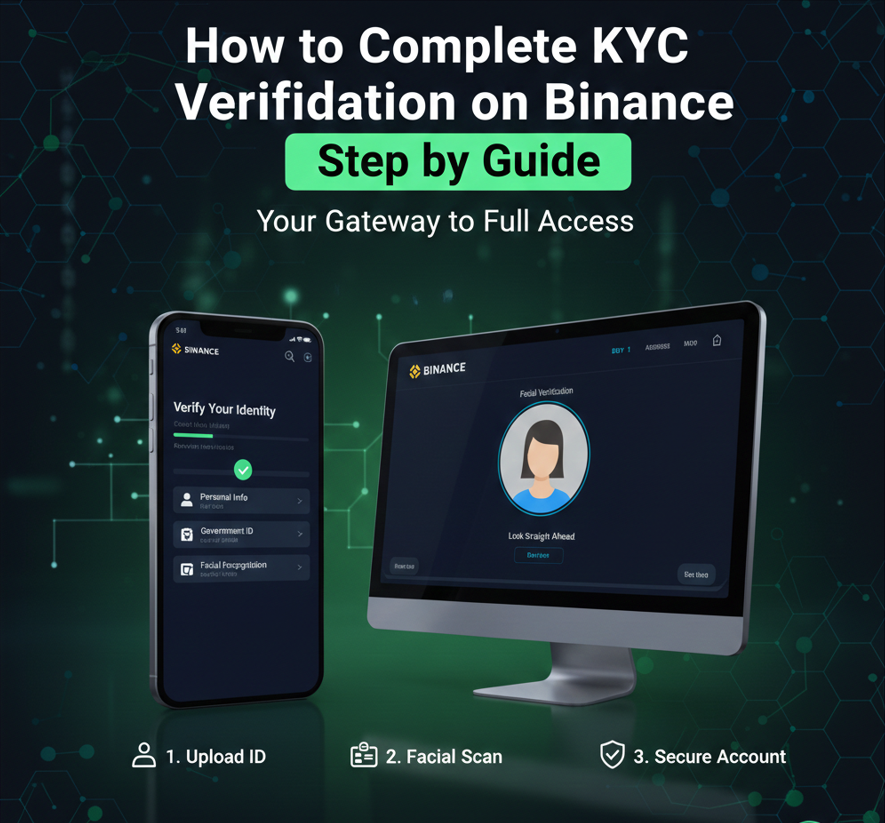
KYC verification on Binance is required to unlock full access to the platform. Without completing identity verification, users may face limitations on deposits, withdrawals, trading features, and account security.
This guide explains what KYC is, why Binance requires it, what documents you need, how to complete the verification step by step, how long approval takes, and what to do if your verification fails.
What Is KYC Verification on Binance?
KYC stands for Know Your Customer. It is a standard identity verification process used by financial platforms to confirm a user’s identity.
Binance uses KYC to:
-
Comply with financial regulations
-
Prevent fraud and money laundering
-
Improve account security
-
Protect users from unauthorized access
Completing KYC allows Binance to provide higher limits and full platform functionality.
Why You Need to Complete KYC on Binance
If your account is not verified, you may experience:
-
Withdrawal limits
-
Restricted trading features
-
Limited access to fiat services
-
Increased security checks
Once verified, you can enjoy:
-
Higher withdrawal limits
-
Full access to trading features
-
Improved account protection
-
Access to fiat deposits and withdrawals (where available)
Types of Verification Levels on Binance
Binance generally offers different verification levels depending on region.
Basic Verification
-
Requires basic personal information
-
Limited access to features
Intermediate / Identity Verification
-
Requires government-issued ID
-
Unlocks most trading and withdrawal features
Advanced Verification (Where Applicable)
-
May require address proof
-
Higher transaction limits
Most users only need identity verification to use Binance fully.
What You Need Before Starting KYC Verification
Prepare the following before starting:
-
A government-issued photo ID
-
Passport
-
National ID card
-
Driver’s license
-
-
A smartphone or webcam for face verification
-
Clear lighting for photos
-
Stable internet connection
Your ID must be:
-
Valid and not expired
-
Clear and readable
-
Issued by a recognized government authority
Step-by-Step: How to Complete KYC Verification on Binance
Step 1: Log in to Your Binance Account
-
Sign in using your registered email or phone number
-
Go to your account dashboard
Step 2: Access the Verification Page
-
Navigate to account settings
-
Select identity verification
-
Choose your country of residence
Selecting the correct country is important because document requirements may vary.
Step 3: Enter Personal Information
You will be asked to provide:
-
Full legal name
-
Date of birth
-
Residential address
Ensure the information matches your ID exactly. Any mismatch can lead to verification failure.
Step 4: Upload Identity Documents
Choose the type of ID you want to upload:
-
Passport
-
National ID
-
Driver’s license
Upload clear photos of:
-
Front and back (if required)
-
Entire document visible
-
No glare, blur, or cropped edges
Tips for success:
-
Use good lighting
-
Avoid shadows or reflections
-
Place the ID on a flat surface
Step 5: Complete Face Verification
Binance will ask you to complete face verification.
This may involve:
-
Taking a selfie
-
Recording a short video
-
Following on-screen instructions such as blinking or turning your head
Make sure:
-
Your face is clearly visible
-
No hats, masks, or sunglasses
-
Good lighting and neutral background
Step 6: Submit Your Application
After completing all steps:
-
Review your details
-
Submit the verification request
Once submitted, Binance will begin reviewing your information.
How Long Does Binance KYC Verification Take?
Approval time varies depending on demand and region.
Typical timeframes:
-
A few minutes to a few hours for most users
-
Up to 24–48 hours during busy periods
You will receive a notification once verification is approved or rejected.
How to Check Your Verification Status
You can check your KYC status by:
-
Logging into your Binance account
-
Visiting the identity verification section
The status will show:
-
Pending
-
Approved
-
Rejected (with reason)
What to Do If Binance KYC Verification Fails
Verification failure is common and usually easy to fix.
Common Reasons for KYC Failure
-
Blurry or unclear document images
-
Mismatched personal information
-
Expired or unsupported ID
-
Poor lighting during face verification
-
Uploading screenshots instead of photos
How to Fix KYC Verification Issues
-
Carefully read the rejection message
-
Retake photos using better lighting
-
Ensure all details match your ID
-
Use a supported ID type
-
Retry face verification in a quiet, well-lit environment
Binance usually allows you to resubmit verification after correcting the issue.
Important Tips for Successful Verification
-
Use original documents, not photocopies
-
Avoid VPNs during verification
-
Do not rush photo uploads
-
Double-check spelling of your name and address
-
Make sure your camera lens is clean
Following these tips greatly increases approval success.
Is KYC on Binance Safe?
Binance uses encryption and security protocols to protect user data. Identity documents are stored securely and used only for verification and compliance purposes.
However, users should:
-
Enable two-factor authentication
-
Avoid sharing account details
-
Beware of fake verification emails or websites
Always complete KYC directly from your Binance account.
Can You Use Binance Without KYC?
In most regions, Binance requires identity verification for:
-
Trading
-
Withdrawals
-
Fiat services
Unverified accounts have limited functionality and may be restricted over time.
Final Thoughts
Completing KYC verification on Binance is a straightforward process when done correctly. By preparing your documents, following instructions carefully, and ensuring accuracy, you can complete verification quickly and unlock full access to Binance features.
Identity verification also improves account security and helps protect your funds.