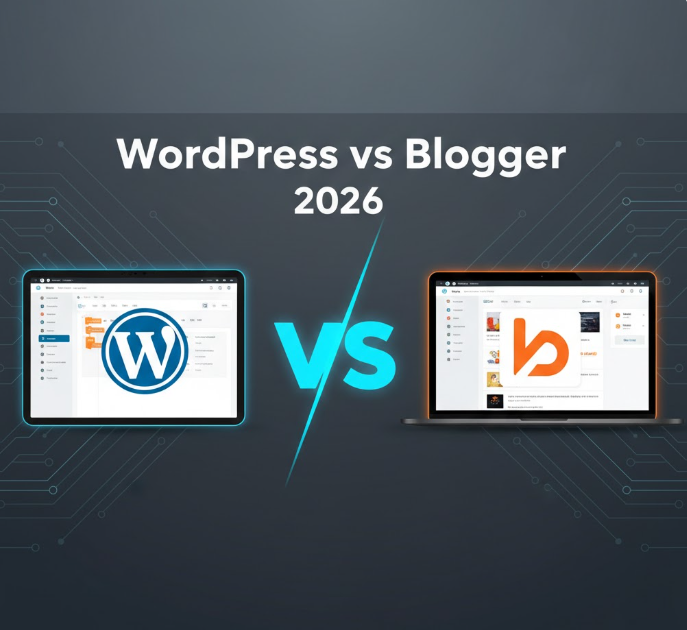
If you’re planning to start a blog, website, or online business in 2026, one of the first questions you’ll face is: WordPress or Blogger? Both platforms allow you to create content, reach audiences, and monetize your site but they differ significantly in features, flexibility, scalability, and long-term potential.
In this guide, we’ll break down the differences between WordPress and Blogger, weigh the pros and cons, and help you decide which platform is right for your needs.
Overview of WordPress and Blogger
What is WordPress?
WordPress is the world’s most popular content management system (CMS), powering over 40% of websites globally. There are two versions:
-
WordPress.org (Self-Hosted) – Offers full control over your website. You need a hosting provider and domain, but you can install plugins, customize themes, and monetize freely.
-
WordPress.com (Hosted) – Provides hosting with limited flexibility unless you pay for premium plans. It’s beginner-friendly but more restrictive than the self-hosted version.
What is Blogger?
Blogger is a free blogging platform owned by Google. It allows anyone to start a blog quickly, and it integrates easily with Google services like AdSense, Analytics, and Drive. Blogger hosts your blog for free, but with limited control over design and functionality.
Key Differences Between WordPress and Blogger
| Feature | WordPress | Blogger |
|---|---|---|
| Cost | Free (WordPress.org), hosting and domain required | Free (hosting and subdomain included) |
| Ease of Use | Moderate learning curve | Beginner-friendly, simple interface |
| Customization | Thousands of themes and plugins | Limited templates, basic customization |
| Ownership | Full ownership of files and content | Google owns the platform; account closure risks losing content |
| SEO Options | Advanced SEO plugins and control | Basic SEO settings, limited plugins |
| Monetization | Unlimited monetization methods | Primarily AdSense |
| Support | Community, forums, tutorials, professional support | Limited support, Google help articles |
Pros and Cons of WordPress in 2026
Pros
-
Unlimited Customization
With thousands of themes and plugins, you can build any type of website—blog, e-commerce, membership site, or portfolio. -
Full Ownership
You control all files, database, and content. This reduces the risk of losing your website. -
Advanced SEO Capabilities
Plugins like Yoast SEO or Rank Math allow you to optimize your site for search engines easily. -
Scalable for Growth
WordPress can handle websites of all sizes, from small blogs to enterprise-level platforms. -
Strong Community & Support
Extensive documentation, forums, and professional developers are available to help.
Cons
-
Requires Hosting
Unlike Blogger, you need a hosting plan and domain, which adds cost and responsibility. -
Learning Curve
Beginners may need time to understand themes, plugins, and updates. -
Maintenance Needed
You must handle security, updates, and backups to protect your site.
Pros and Cons of Blogger in 2026
Pros
-
Free Hosting
Google hosts your blog for free, and you can start with a subdomain likeyourblog.blogspot.com. -
Beginner-Friendly
Simple interface with minimal setup, making it easy to start blogging immediately. -
Google Integration
Works seamlessly with Google AdSense, Analytics, and Search Console. -
No Maintenance Required
Google handles updates, security, and server issues.
Cons
-
Limited Customization
Fewer templates and plugins compared to WordPress. Customization options are basic. -
Limited Ownership
Google can suspend your account or delete your blog if guidelines are violated. -
Not Ideal for Growth
Scaling your blog into a full-fledged business or professional website is difficult. -
SEO Limitations
Basic SEO features, making it harder to compete with WordPress-powered sites for high rankings.
Which Platform Is Best for You?
Choose WordPress If:
-
You want full control over your website
-
You plan to monetize and grow your blog into a business
-
You need advanced SEO and customization
-
You are ready to invest in hosting, domain, and occasional maintenance
Choose Blogger If:
-
You want a free, simple blogging solution
-
You are just starting out and don’t need advanced features
-
You want a Google-integrated platform for quick setup
-
You don’t plan to scale your blog into a professional site
Tips for Making the Transition
Many bloggers start with Blogger and later move to WordPress for better features. Here’s how to make the transition smoother:
-
Backup Content – Export your posts from Blogger using the export tool.
-
Choose a Hosting Provider – Pick a reliable WordPress hosting plan.
-
Install WordPress – Use cPanel or a one-click installer.
-
Import Blogger Content – Use WordPress import tools to transfer posts and media.
-
Customize Design – Choose a professional WordPress theme and set up menus.
-
Set Up SEO & Analytics – Install SEO plugins and link Google Analytics for tracking.
Frequently Asked Questions (FAQ)
Can I switch from Blogger to WordPress later?
Yes. You can export Blogger content and import it into WordPress without losing posts or images.
Is WordPress free?
WordPress.org is free, but you need hosting and a domain. WordPress.com offers free plans with limitations.
Which is better for beginners?
Blogger is easier for complete beginners. WordPress has a learning curve but offers more flexibility long-term.
Can I monetize Blogger?
Yes, primarily with Google AdSense. WordPress allows more monetization options including affiliate marketing, sponsored posts, and e-commerce.
Which platform is more secure?
WordPress security depends on maintenance and hosting, but it can be more secure with proper setup. Blogger is hosted by Google, so it is generally secure but less flexible.
Final Thoughts
Both WordPress and Blogger have their merits in 2026. Blogger is ideal for hobby bloggers or casual writers who want simplicity. WordPress is the clear choice for serious bloggers, entrepreneurs, and anyone who wants full control, flexibility, and long-term growth.
If your goal is to create a professional, scalable website, WordPress will likely serve you better. Blogger is perfect for quick-start projects or experimenting with blogging without costs or technical setup.