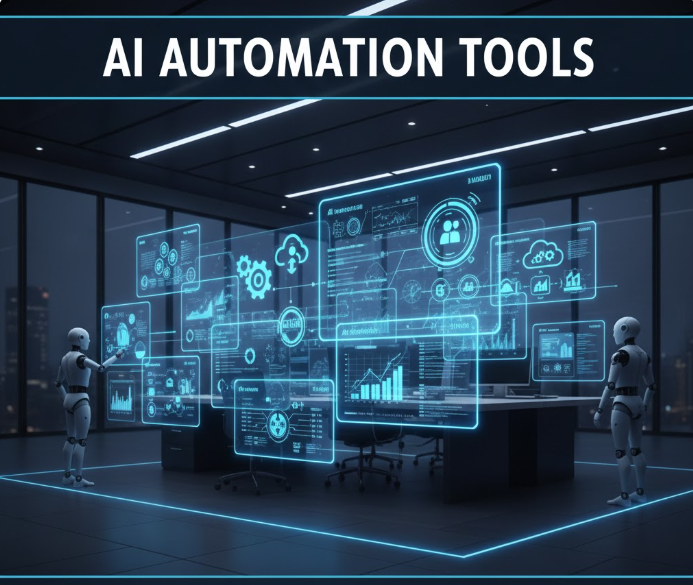
In today’s digital economy, enterprises are moving beyond manual workflows and siloed systems. Artificial intelligence (AI) automation software is transforming how businesses operate at scale—streamlining repetitive tasks, improving decision-making, boosting productivity, and reducing operational costs.
This comprehensive guide explores the best AI automation solutions for large enterprises, what each excels at, where they fit in the business stack, and how to choose the right one for your organization.
Why AI Automation Matters for Enterprise Operations
Modern enterprise environments involve a blend of functions that demand speed, accuracy, and scalability:
-
Finance & accounting
-
Customer service
-
Human resources
-
IT operations
-
Supply chain and logistics
-
Sales and marketing
-
Data management and analytics
AI automation software uses technologies such as:
-
Machine learning (ML)
-
Natural language processing (NLP)
-
Robotic process automation (RPA)
-
Predictive analytics
-
Intelligent workflow orchestration
Together, these capabilities reduce human error, accelerate workflows, and enable employees to focus on strategic work instead of repetitive tasks.
Core Types of AI Automation Software
Before diving into top products, it helps to understand the kinds of solutions available:
1. Robotic Process Automation (RPA)
Software “robots” that mimic human interactions across systems to execute repetitive processes such as data entry, invoice processing, and system integrations.
2. Intelligent Document Processing (IDP)
AI models that ingest, classify, and extract information from unstructured or semi-structured data (PDFs, emails, forms) automatically.
3. Chatbots and Virtual Agents
AI-driven conversational tools that handle customer and employee queries without human intervention.
4. Business Process Management (BPM)
Software that defines, executes, and monitors business processes with real-time analytics.
5. Enterprise AI Platforms
Comprehensive systems that integrate multiple automation capabilities, often with plug-and-play modules and low-code/no-code builders.
Top AI Automation Software for Enterprise Operations
1. UiPath
Overview: UiPath is a market leader in RPA and intelligent automation, widely adopted across large enterprises.
Strengths:
-
Powerful RPA engine with drag-and-drop design
-
Integrated ML and NLP capabilities
-
Strong developer and citizen developer support
-
Enterprise-grade security and governance
Use Cases:
-
Finance automation (AP, AR)
-
IT service desk automation
-
HR onboarding
-
Cross-system data migrations
Why It’s Enterprise-Ready:
UiPath scales from departmental automation to enterprise-wide digital transformation initiatives, with governance, audit trails, and role-based access.
2. Automation Anywhere
Overview: A robust RPA platform that blends task automation with AI and analytics.
Strengths:
-
Cloud-native automation with scalable architecture
-
Integrated IQ Bot for intelligent document understanding
-
Strong analytics and monitoring dashboards
-
Excellent support ecosystem
Use Cases:
-
Invoice and purchase order processing
-
Claims handling in insurance
-
Customer data synchronization
-
Compliance reporting
Why It’s Enterprise-Ready:
Automation Anywhere’s end-to-end automation stack supports large, decentralized teams with centralized control.
3. Blue Prism
Overview: An RPA pioneer focused on secure, scalable automation in complex enterprise environments.
Strengths:
-
Strong security and compliance profile
-
Integrated digital workforce management
-
Good support for legacy systems
Use Cases:
-
Banking and financial services automation
-
Healthcare process automation
-
Telecom operations
Why It’s Enterprise-Ready:
Blue Prism’s “digital workforce” concept makes it straightforward to manage hundreds or thousands of bots with governance and role separation.
4. Microsoft Power Automate (with AI Builder)
Overview: Part of Microsoft’s Power Platform, Power Automate extends traditional workflow automation with embedded AI.
Strengths:
-
Native integration with Microsoft 365 and Azure
-
Prebuilt connectors for hundreds of systems
-
AI Builder for form processing, entity extraction, and predictions
-
Low-code automation designer
Use Cases:
-
Employee onboarding workflows
-
Approval automation
-
Document classification and routing
-
Data sync between apps
Why It’s Enterprise-Ready:
Microsoft’s cloud ecosystem makes Power Automate a compelling choice for enterprises standardizing on Azure and Microsoft tools.
5. Appian
Overview: A leader in low-code process automation platforms with built-in AI.
Strengths:
-
Unified platform for workflow, RPA, and case management
-
Visual low-code interface
-
AI/ML model integration
-
Strong governance and traceability
Use Cases:
-
Customer service workflow automation
-
Regulatory compliance workflows
-
Incident and case management
-
Order fulfillment automation
Why It’s Enterprise-Ready:
Appian’s low-code automation accelerates enterprise digital transformation without heavy developer dependence.
6. IBM Robotic Process Automation with Automation Anywhere
Overview: IBM’s automation offering combines RPA and AI with deep enterprise support.
Strengths:
-
Integration with IBM Watson AI
-
Strong analytics and monitoring
-
Enterprise AI insights
-
Hybrid deployment support
Use Cases:
-
Cognitive automation
-
Cross-platform job orchestration
-
Intelligent decision support
Why It’s Enterprise-Ready:
IBM’s long history with enterprise customers ensures strong support, documentation, and integration with large IT landscapes.
7. SAP Intelligent RPA
Overview: Designed for enterprises using SAP ERP and S/4HANA ecosystems.
Strengths:
-
Native integration with SAP applications
-
Prebuilt automation templates
-
Low-code bot creation
-
Unified automation cockpit
Use Cases:
-
Order to cash automation
-
Inventory and procurement processing
-
Finance and accounting workflows
Why It’s Enterprise-Ready:
Best suited for companies with large SAP footprints, reducing custom integration overhead.
8. WorkFusion
Overview: Combines RPA with AI-driven intelligent automation and cognitive capabilities.
Strengths:
-
Intelligent document processing
-
Cognitive automation workflows
-
Centralized bot management
-
Security and governance
Use Cases:
-
Insurance claims automation
-
Healthcare form processing
-
KYC and AML workflows
Why It’s Enterprise-Ready:
Designed to handle complex document-centric processes at scale.
9. Salesforce Einstein Automations
Overview: AI automation built into the Salesforce ecosystem.
Strengths:
-
Predictive analytics and automation
-
Native CRM integration
-
Workflow and decision automation
-
AI-driven insights
Use Cases:
-
Lead scoring
-
Automated customer follow-up
-
Case routing
-
Opportunity forecasting
Why It’s Enterprise-Ready:
Ideal for large organizations standardizing on Salesforce for customer operations.
10. UiL OMINI (Oracle Intelligent Automation)
Overview: Oracle’s intelligent automation suite built into its cloud services.
Strengths:
-
Deep Oracle ecosystem integration
-
Low-code automation
-
AI and analytics support
-
Enterprise governance
Use Cases:
-
Supply chain automation
-
ERP process automation
-
Finance and HR automation
Why It’s Enterprise-Ready:
Strong choice for enterprises with Oracle cloud or on-prem investments.
How to Choose the Right AI Automation Software
Selecting the right solution depends on:
1. Enterprise Scale and Complexity
-
Centralized or global
-
Hybrid cloud or multi-cloud
-
Legacy systems or modern stack
2. Type of Automation Needed
-
RPA vs full BPM
-
Document intelligence
-
Customer service automation
3. Security & Compliance Requirements
-
Data residency and governance
-
Audit trails
-
Role-based access
4. Ease of Integration
Does it integrate with:
-
ERPs
-
CRMs
-
Ticketing systems
-
Cloud platforms
5. Low-Code / No-Code Needs
Ideal for:
-
Citizen developers
-
Rapid workflow design
6. Analytics & Reporting
Advanced enterprise automation should provide:
-
Dashboard visibility
-
SLA monitoring
-
ROI reporting
Best Practices for Enterprise AI Automation
1. Start With Clear Process Mapping
Map current processes before automating them.
2. Prioritize High-Impact Workflows
Automate repetitive, rule-based tasks first.
3. Govern and Monitor Bots
Ensure security and compliance with a bot governance framework.
4. Combine AI With Human Oversight
Use human-in-the-loop where decisions carry risk.
5. Track ROI Continuously
Measure efficiency gains and adjust strategy.
Common Mistakes to Avoid
-
Automating broken processes
-
Ignoring security risks
-
Underestimating integration complexity
-
Choosing tools based on price alone
-
Foregoing training and change management
Frequently Asked Questions (FAQ)
What is AI automation software?
AI automation software uses AI, ML, RPA, and integrated workflows to automate business processes and decisions.
What’s the difference between RPA and AI automation?
RPA automates rule-based tasks. AI automation adds decision support, learning, and data interpretation to RPA and other processes.
Do enterprises need multiple automation tools?
Often yes—different tools serve different functions (document processing, workflow orchestration, RPA, analytics).
Can automation replace human workers?
Not entirely. Instead, automation shifts humans to higher-value tasks like strategy and problem solving.
How long does automation take to implement?
Small processes can be automated in weeks; enterprise-wide digital transformation may take months to years.
Final Thoughts
The rise of AI automation software is reshaping how enterprises operate, allowing organizations to reduce cost, improve service delivery, and unlock strategic value across functions.
Selecting the right automation platform is not just about technology—it’s about aligning automation with business goals, risk practices, and employee capabilities.
AI automation is no longer optional; it’s a strategic imperative for enterprises that want to remain competitive in the digital age.