Your domain name is the front door to your website, email, and online identity. If someone gains control of it, they can redirect your site, intercept email, or shut everything down. This is why domain security matters just as much as server or website security.
Cloudflare Registrar is designed to remove many of the common risks associated with traditional domain registrars. It focuses on strong security, transparent pricing, and protection against domain hijacking.
This guide explains how to use Cloudflare Registrar to secure your domain properly, step by step, and what makes it different from other registrars.
What Is Cloudflare Registrar?
Cloudflare Registrar is a domain registration service built directly into the Cloudflare platform. Unlike many registrars, it does not rely on upsells or add-on security products. Instead, it includes key security features by default.
Key characteristics:
-
Domains are registered at cost price
-
WHOIS privacy is included automatically
-
DNSSEC is supported
-
Registrar Lock is always enabled
-
Domains stay connected to Cloudflare DNS
It is designed for people who care about stability and security rather than promotions or extras.
Why Domain Security Is So Important
If a domain is compromised, attackers can:
-
Redirect traffic to malicious sites
-
Take email offline
-
Steal login credentials
-
Damage search engine trust
-
Lock you out completely
Most domain hijacks happen because of weak registrar security, reused passwords, or missing protections.
Cloudflare Registrar reduces these risks significantly.
Step 1: Confirm Your Domain Is Eligible
Cloudflare Registrar supports many popular domain extensions, but not all.
Before transferring:
-
Log in to your Cloudflare account
-
Add your domain if it is not already there
-
Check if Cloudflare supports your domain extension
If your domain is already using Cloudflare DNS, you are in the best position to move forward.
Step 2: Prepare Your Domain for Transfer
Before transferring your domain to Cloudflare Registrar, a few things must be done at your current registrar.
Required preparation:
-
Unlock the domain
-
Obtain the transfer authorization code
-
Ensure domain contact email is accessible
-
Disable domain privacy only if required temporarily
Do not change nameservers during this process.
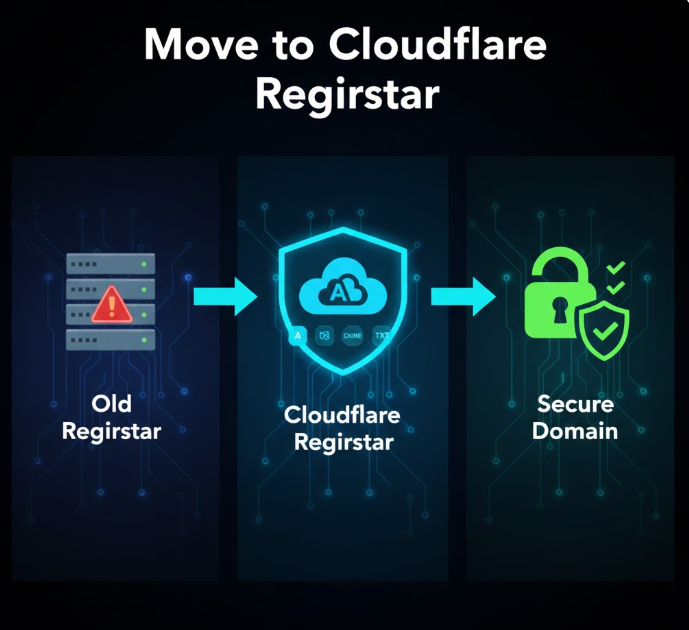
Step 3: Transfer Your Domain to Cloudflare Registrar
Once prepared, initiate the transfer from Cloudflare.
How it works:
-
Log in to Cloudflare
-
Select your domain
-
Choose Registrar
-
Start transfer
-
Enter the authorization code
-
Confirm payment
Cloudflare transfers domains at wholesale cost, which means you only pay the registry fee.
Step 4: Understand the Built-In Security Features
Once your domain is under Cloudflare Registrar, several protections are enabled automatically.
Registrar Lock
Prevents unauthorized transfers or changes. This cannot be disabled casually, which protects against hijacking.
WHOIS Privacy
Your personal contact details are hidden from public records without extra cost.
DNSSEC Support
DNSSEC protects users from DNS spoofing and tampering by validating DNS responses.
Tight Platform Integration
Since DNS and registrar services are connected, changes are less likely to be intercepted or misconfigured.
Step 5: Enable DNSSEC for Maximum Protection
DNSSEC is one of the most important but often overlooked security features.
What DNSSEC does:
-
Prevents DNS cache poisoning
-
Ensures users reach your real website
-
Adds cryptographic verification to DNS records
How to enable it:
-
Go to your domain in Cloudflare
-
Open DNS settings
-
Enable DNSSEC
-
Confirm activation
Cloudflare handles the complexity automatically.
Step 6: Protect Your Cloudflare Account Itself
Your domain is only as secure as your Cloudflare account.
Best practices:
-
Use a strong, unique password
-
Enable two-factor authentication
-
Restrict account access
-
Monitor login activity
Account security is the final layer of domain protection.
Step 7: Lock Down Email and Contact Information
Ensure domain-related emails are secure.
-
Use a trusted email provider
-
Protect email with strong passwords
-
Enable two-factor authentication on email
-
Monitor transfer notifications
Most domain theft attempts start with compromised email.
Step 8: Understand What Cloudflare Registrar Does Not Do
Cloudflare Registrar focuses on security, not convenience features.
It does not:
-
Offer email hosting
-
Provide promotional pricing
-
Support all TLDs
-
Allow easy registrar switching without intent
This is a deliberate design choice.
Step 9: Monitor Domain Activity Regularly
Even with strong security, monitoring is important.
Check:
-
DNS changes
-
Registrar notifications
-
Account activity logs
-
Expiration dates
Cloudflare provides clear visibility into all changes.
Common Mistakes to Avoid
-
Using weak Cloudflare account passwords
-
Ignoring DNSSEC
-
Losing access to domain contact email
-
Assuming domain security is automatic everywhere
Cloudflare reduces risk, but responsibility still matters.
Who Should Use Cloudflare Registrar?
Cloudflare Registrar is ideal for:
-
Business websites
-
High-value domains
-
Security-conscious site owners
-
Developers and agencies
-
Long-term projects
It may not be ideal for people who want bundled services or promotional pricing.
Final Thoughts
Cloudflare Registrar is built around one idea: domains should be boring and secure.
By removing unnecessary complexity and enforcing strong defaults, it dramatically reduces the risk of domain hijacking and misconfiguration.
If your domain matters to you, securing it at the registrar level is not optional. Cloudflare Registrar offers one of the safest ways to do that today.