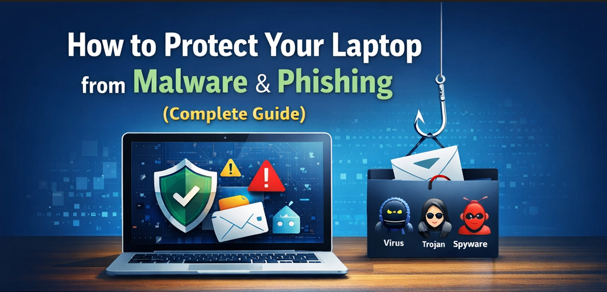
In today’s digital world, your laptop stores some of your most valuable information — personal files, passwords, emails, bank details, and work documents. Unfortunately, it is also a major target for malware and phishing attacks.
Cybercriminals no longer target only big companies. Everyday laptop users in Nigeria and around the world are now frequent victims of online threats. One wrong click can expose your data, slow down your system, or even lead to financial loss.
In this complete guide, you’ll learn practical, proven ways to protect your laptop from malware and phishing attacks, even if you’re not tech-savvy.
What Is Malware?
Malware is a general term for malicious software designed to harm your laptop, steal data, or spy on your activities.
Common types of malware include:
-
Viruses – Spread by infected files or downloads
-
Trojans – Disguised as legitimate software
-
Spyware – Secretly monitors your activity
-
Ransomware – Locks files and demands payment
-
Adware – Floods your laptop with unwanted ads
Malware can enter your laptop through:
-
Fake downloads
-
Infected USB drives
-
Unsafe websites
-
Email attachments
What Is Phishing?
Phishing is a cyberattack where criminals trick you into revealing sensitive information such as passwords, bank details, or login codes.
Phishing often comes through:
-
Fake emails
-
SMS messages
-
WhatsApp links
-
Fake websites that look real
These messages usually create fear or urgency, such as:
-
“Your account will be closed”
-
“Unusual login detected”
-
“Confirm your payment immediately”

Why Laptop Security Matters More Than Ever
Many people believe phones are more vulnerable than laptops, but laptops are actually more attractive to hackers because they often store:
-
Saved passwords
-
Work documents
-
Banking information
-
Browsing history
Once infected, malware can:
-
Slow down your laptop
-
Steal personal data
-
Track keystrokes
-
Redirect you to fake websites
That’s why prevention is far better than trying to fix damage later.
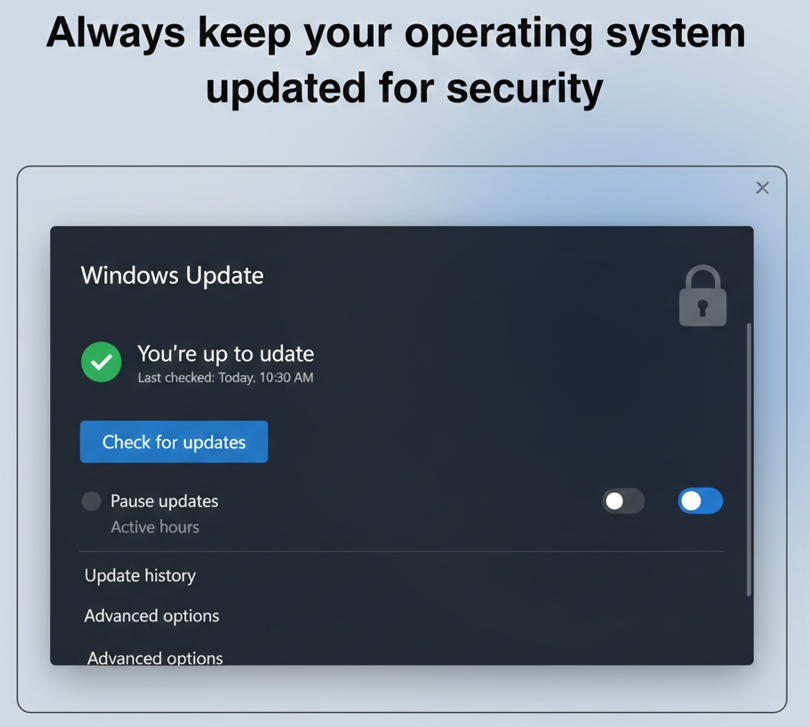
1. Keep Your Operating System Updated
One of the easiest and most effective ways to protect your laptop is by keeping your operating system up to date.
Updates fix:
-
Security vulnerabilities
-
Software bugs
-
Weak points exploited by hackers
For Windows Users:
-
Go to Settings → Windows Update
-
Enable automatic updates
For macOS Users:
-
Open System Settings → Software Update
-
Turn on automatic updates
Skipping updates leaves your laptop exposed to known threats.
2. Install a Trusted Antivirus or Security Software
A good antivirus program acts as a shield against malware.
What a good antivirus should do:
-
Scan files in real time
-
Block malicious downloads
-
Detect suspicious behavior
-
Protect against phishing websites
Recommended options:
-
Windows Security (built-in and effective)
-
Avast
-
Bitdefender
-
Kaspersky
⚠️ Avoid downloading antivirus software from unknown websites.
3. Avoid Cracked Software and Pirated Downloads
This is one of the biggest causes of malware infections, especially in developing countries.
Cracked software often contains:
-
Hidden spyware
-
Keyloggers
-
Backdoor access for hackers
Even if the software “works,” it may be silently stealing your data.
Safe alternative:
Use free and legal software or official trial versions.

4. Be Extremely Careful with Email Attachments
Email is one of the most common ways malware spreads.
Never open attachments that:
-
Come from unknown senders
-
Have strange file extensions
-
Contain urgent or threatening language
Common dangerous file types:
-
.exe -
.zip -
.js -
.bat
If unsure, delete the email immediately.
5. Learn How to Spot Phishing Emails and Messages
Phishing messages often look real, but they usually have small red flags.
Signs of phishing:
-
Poor grammar or spelling
-
Generic greetings like “Dear User”
-
Fake sender addresses
-
Links that don’t match the real website
Before clicking any link:
-
Hover your mouse over it
-
Check the actual URL
-
Look for HTTPS and correct spelling

6. Use Strong and Unique Passwords
Weak passwords make it easy for attackers to access your accounts.
A strong password should:
-
Be at least 12 characters
-
Include letters, numbers, and symbols
-
Be unique for each account
Never reuse the same password for:
-
Email
-
Banking apps
-
Social media
Using a password manager can help you stay secure.
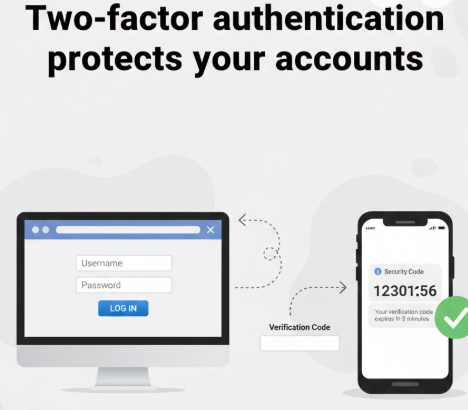
7. Enable Two-Factor Authentication (2FA)
Two-factor authentication adds an extra layer of security.
Even if someone gets your password, they still need:
-
A code sent to your phone
-
An authentication app confirmation
Enable 2FA on:
-
Email accounts
-
Social media
-
Online banking
-
Cloud storage
8. Avoid Public Wi-Fi Without Protection
Public Wi-Fi networks are risky because attackers can spy on traffic.
If you must use public Wi-Fi:
-
Avoid online banking
-
Don’t log into important accounts
-
Use a trusted VPN
A VPN encrypts your internet connection and protects your data.
9. Keep Your Browser Secure
Your web browser is your main gateway to the internet.
To stay safe:
-
Keep browser updated
-
Remove unused extensions
-
Use built-in phishing protection
-
Enable pop-up blocking
Browsers like Chrome, Edge, and Firefox include security features — use them.
10. Regularly Back Up Your Data
Even with protection, no system is 100% safe.
Backups protect you from:
-
Ransomware
-
Hardware failure
-
Accidental deletion
Backup options include:
-
External hard drives
-
Cloud storage (Google Drive, OneDrive)
Always keep at least one offline backup.

11. Scan USB Drives Before Using Them
USB drives can carry malware without you knowing.
Before opening any USB:
-
Scan it with antivirus software
-
Avoid unknown or shared flash drives
Disable auto-run features to reduce risk.
12. Watch for Warning Signs of Infection
Your laptop may be infected if you notice:
-
Slow performance
-
Frequent crashes
-
Strange pop-ups
-
Unknown programs installed
-
Browser redirects
If this happens:
-
Disconnect from the internet
-
Run a full antivirus scan
-
Remove detected threats
Best Daily Habits to Stay Safe Online
Developing safe habits is just as important as installing software.
-
Think before you click
-
Download only from official sources
-
Update your system regularly
-
Use security features consistently
Cybersecurity is about awareness, not fear.
Final Thoughts
Protecting your laptop from malware and phishing does not require advanced technical skills. With the right habits, updated software, and basic awareness, you can dramatically reduce your risk.
Your data is valuable. Take security seriously today — not after an attack.