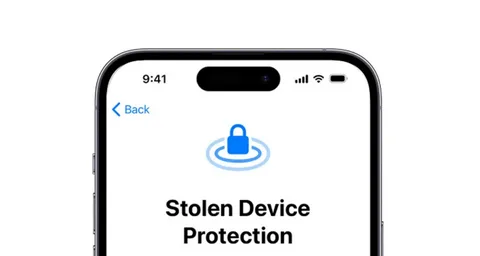
Apple’s iOS 17.3 update introduced a major security enhancement for iPhone users called Stolen Device Protection. This feature is designed to make it significantly harder for thieves to access or modify sensitive data on a stolen device, even if they know the phone’s passcode.
In an era where smartphone theft often leads to financial and identity risks, this update adds an extra layer of defense that strengthens overall iPhone security.
What Is Stolen Device Protection on iPhone?
Stolen Device Protection is a security feature introduced in iOS 17.3 that restricts access to critical system settings when your iPhone is not in a trusted or familiar location.
Before this update, if someone knew your iPhone passcode, they could potentially:
- Unlock the device
- Access Apple ID settings
- Change passwords
- Disable security features like Find My iPhone
With Stolen Device Protection enabled, these actions are no longer easily possible.
Instead, the system requires biometric authentication (Face ID or Touch ID) before allowing access to sensitive settings such as Apple ID changes or passcode updates.
How the Feature Improves Security
The key idea behind this feature is location-based security verification.
When your iPhone is in an unfamiliar location, Apple applies stricter security rules. Even if someone successfully unlocks your phone using a passcode, they will face additional barriers when trying to change important settings.
One of the most important protections introduced is a security delay system:
- If a sensitive action is attempted (like changing the Apple ID password), the iPhone enforces a one-hour delay
- During this time, the device remains usable for basic tasks
- However, critical security actions are blocked
This delay gives the rightful owner time to activate Lost Mode through Find My and secure their account.
The system is designed so that even if a thief gains temporary access, they cannot quickly take full control of the device.
How Location Plays a Role
The feature relies heavily on location awareness.
When the iPhone detects it is in a familiar location (such as home or work), normal security behavior applies.
However, when it is in an unfamiliar location, stricter rules are activated automatically, including:
- Mandatory Face ID or Touch ID for sensitive actions
- Security delay before password or account changes
- Restrictions on disabling tracking features
This makes it much more difficult for unauthorized users to exploit a stolen device outside trusted environments.
How to Activate Stolen Device Protection on iPhone
To use this feature, your device must be running iOS 17.3 or later. The activation process is straightforward but requires certain system settings to be enabled.
Step 1: Update Your iPhone
Go to:
- Settings → General → Software Update
Download and install the latest version of iOS if available.
Step 2: Enable Location Services
This feature depends on location tracking, so it must be enabled:
- Settings → Privacy & Security → Location Services → Turn On
You should also enable:
- System Services → Significant Locations
This helps the device recognize familiar environments.
Step 3: Enable Stolen Device Protection
Once everything is set up:
- Go to Settings → Face ID & Passcode
- Enter your device passcode
- Scroll down to Stolen Device Protection
- Tap Turn On Protection
After this, the feature becomes active automatically.
Why This Feature Matters
The introduction of Stolen Device Protection in iOS 17.3 significantly improves iPhone security in real-world theft scenarios.
It is especially important because modern smartphone theft is not just about losing a device—it often involves:
- Financial account access
- Personal data exposure
- Identity theft risks
- Unauthorized password resets
By requiring biometric authentication and introducing time delays, Apple reduces the likelihood of quick account takeover even if the device falls into the wrong hands.
Limitations to Keep in Mind
While the feature improves security, it is not a complete anti-theft solution. Some important considerations include:
- Location services must be enabled for full functionality
- The feature depends on Face ID or Touch ID being set up
- It does not physically prevent theft—it only limits access afterward
Users should still rely on other tools like Find My iPhone for tracking and recovery.
Final Thoughts
The Stolen Device Protection feature in iOS 17.3 represents a meaningful step forward in smartphone security. By combining biometric authentication, location awareness, and security delays, iOS adds stronger protection against unauthorized access in theft scenarios.
While no system can completely eliminate the risk of device theft, this update significantly reduces the chances of a thief gaining full control of a stolen iPhone quickly.
For users, the takeaway is simple: updating to iOS 17.3 and enabling this feature is a smart move for better personal data protection.