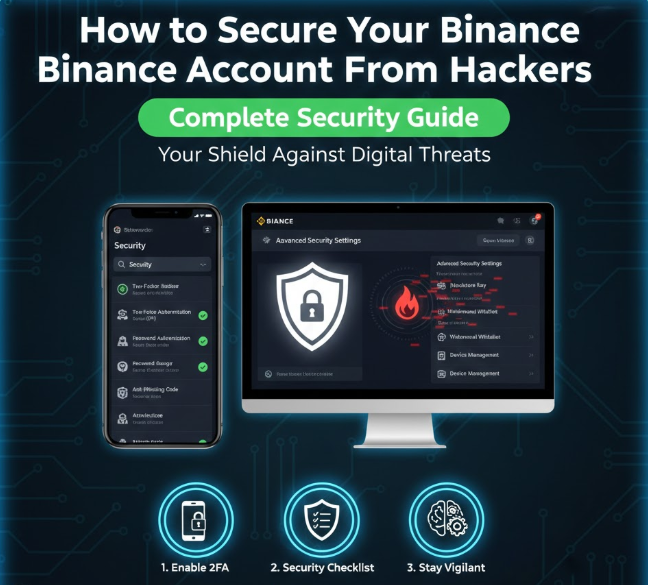
Cryptocurrency accounts are a common target for hackers, and Binance users are no exception. Because crypto transactions are irreversible, a single security mistake can result in permanent loss of funds.
The good news is that Binance provides multiple powerful security tools that, when used correctly, can make your account extremely difficult to compromise.
This guide explains exactly how to secure your Binance account, covering two-factor authentication, anti-phishing protection, withdrawal restrictions, device management, and essential security best practices.
Why Binance Account Security Is Critical
Unlike traditional banks, cryptocurrency platforms do not always offer chargebacks or recovery options after unauthorized withdrawals. Hackers often target users through:
-
Phishing emails and fake websites
-
Weak passwords
-
Malware-infected devices
-
SIM swap attacks
-
Compromised email accounts
Most successful hacks happen because of poor user security, not because Binance itself was breached.
Step 1: Enable Two-Factor Authentication (2FA)
Two-factor authentication is the most important security feature for your Binance account.
What Is 2FA?
2FA adds an extra verification step when you log in, withdraw funds, or change security settings. Even if someone knows your password, they cannot access your account without this second code.
Recommended 2FA Methods
-
Authenticator App (Best Option)
Uses apps like Google Authenticator or Authy -
SMS Authentication
Better than nothing, but less secure than an authenticator app
Best Practice
Always use an authenticator app, not SMS alone. SMS can be compromised through SIM swap attacks.
Step 2: Set Up an Anti-Phishing Code
Phishing emails are one of the most common ways attackers steal Binance credentials.
What Is an Anti-Phishing Code?
An anti-phishing code is a custom text you create that appears in every legitimate email from Binance. If an email does not contain your code, it is fake.
Why This Matters
-
Helps you instantly identify fake Binance emails
-
Protects you from clicking malicious links
-
Prevents credential theft
Best Practice
Choose a code that is unique and hard to guess, and never share it with anyone.
Step 3: Enable Withdrawal Whitelist
Withdrawal whitelist is a powerful feature that prevents hackers from sending your crypto to unknown addresses.
How Withdrawal Whitelist Works
-
You define a list of approved wallet addresses
-
Withdrawals are only allowed to those addresses
-
New addresses must go through a security cooldown period
Benefits
-
Stops instant fund theft even if your account is compromised
-
Gives you time to react if suspicious changes are made
Best Practice
Enable withdrawal whitelist immediately after creating your account and only add addresses you fully control.
Step 4: Manage and Monitor Devices
Binance allows you to see all devices that have accessed your account.
Device Management Features
-
View active login sessions
-
See device type, location, and IP activity
-
Remove suspicious or unused devices instantly
Why This Matters
If a hacker gains access from another location or device, you can:
-
Log them out immediately
-
Change your password
-
Freeze withdrawals
Best Practice
Regularly review your device list and remove devices you no longer use.
Step 5: Secure Your Email Account
Your email is the gateway to your Binance account. If your email is compromised, hackers can reset your Binance password.
Email Security Tips
-
Use a strong, unique password
-
Enable 2FA on your email account
-
Avoid using the same email for many services
-
Never click suspicious email links
Best Practice
Create a dedicated email address used only for Binance and other financial platforms.
Step 6: Use a Strong and Unique Password
Weak or reused passwords are a major security risk.
Strong Password Rules
-
At least 12 characters
-
Combination of letters, numbers, and symbols
-
Not used on any other website
Best Practice
Use a reputable password manager to generate and store secure passwords.
Step 7: Enable Withdrawal Confirmation and Delays
Binance requires multiple confirmations before withdrawals, including:
-
Email confirmation
-
2FA code
-
Security verification prompts
Why This Matters
These extra steps give you time to detect and stop unauthorized withdrawals.
Best Practice
Never disable security confirmations, even if they seem inconvenient.
Step 8: Avoid Public Wi-Fi and Shared Devices
Public networks are unsafe for accessing crypto accounts.
Risks of Public Wi-Fi
-
Network sniffing
-
Malware injection
-
Man-in-the-middle attacks
Best Practice
-
Use a private internet connection
-
Avoid logging in on shared or public computers
-
Keep your operating system and browser updated
Step 9: Watch for Social Engineering Attacks
Hackers often impersonate:
-
Binance support staff
-
Telegram or WhatsApp admins
-
Influencers offering fake giveaways
Important Rule
Binance staff will never ask for:
-
Your password
-
2FA codes
-
Recovery phrases
Best Practice
Ignore unsolicited messages and only use official Binance support channels.
Step 10: Regularly Review Account Activity
Make it a habit to check:
-
Login history
-
Withdrawal history
-
Security change notifications
Early detection can prevent major losses.
Final Security Checklist
To fully secure your Binance account:
-
Enable authenticator-based 2FA
-
Set up an anti-phishing code
-
Activate withdrawal whitelist
-
Monitor device activity
-
Secure your email account
-
Use strong, unique passwords
-
Avoid public networks
-
Stay alert to phishing and scams
Final Thoughts
Securing your Binance account is not optional—it is essential. Most crypto losses happen due to user-side security failures, not exchange breaches. By applying the steps in this guide, you significantly reduce the risk of hacking, unauthorized withdrawals, and phishing attacks.