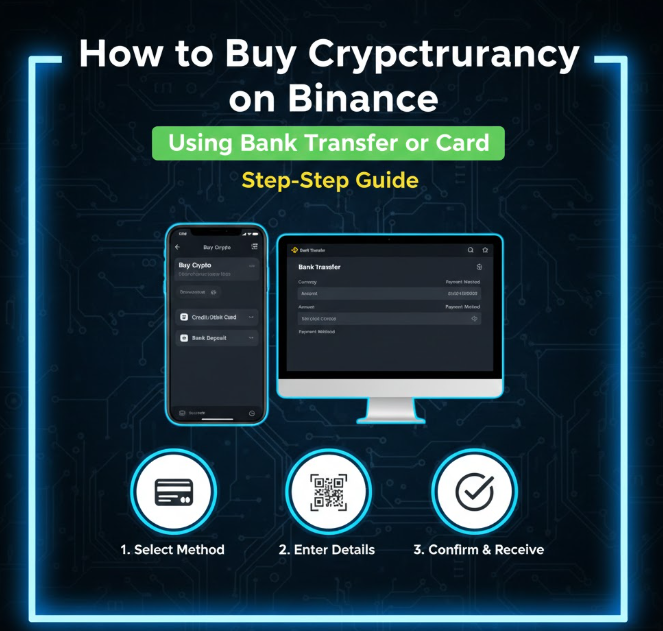
Buying cryptocurrency on Binance is a key first step for anyone entering the crypto world. Binance makes it easy to purchase digital assets like Bitcoin, Ethereum, and other altcoins using a bank transfer, debit card, or credit card.
This guide covers everything you need to know, including fees, limits, and safety tips.
Step 1: Prepare Your Binance Account
Before buying crypto, ensure you have:
-
A registered Binance account
-
Completed identity verification (KYC)
-
A verified email and two-factor authentication enabled
These steps secure your account and allow you to use all deposit methods.
Step 2: Log in to Binance
-
Open the Binance website or mobile app
-
Click Buy Crypto on the homepage
-
Select your preferred payment method:
-
Bank transfer (via SEPA, SWIFT, or local banking options)
-
Debit card / Credit card (Visa or Mastercard supported)
-
Step 3: Select the Cryptocurrency
-
Choose which cryptocurrency to purchase (e.g., BTC, ETH, USDT)
-
Enter the amount in your local currency or in crypto
Binance will calculate the total cost, including fees, automatically.
Step 4: Using a Debit or Credit Card
Step 4.1: Enter Card Details
-
Card number, expiration date, CVV
-
Cardholder name must match your Binance account
Step 4.2: Confirm Billing Address
-
Must match the address linked to your card
Step 4.3: Review Fees
-
Card purchases usually have higher fees than bank transfers
-
Binance displays fees before confirming purchase
Step 4.4: Confirm Transaction
-
Review all details carefully
-
Confirm the transaction via your bank’s authentication (3D Secure)
-
Your crypto will appear in your Binance wallet almost instantly
Step 5: Using a Bank Transfer
Step 5.1: Choose Bank Transfer
-
Select local bank transfer or international transfer (SWIFT/SEPA)
Step 5.2: Follow Deposit Instructions
-
Binance will provide:
-
Bank account details
-
Reference code or memo (important for processing)
-
Step 5.3: Make the Transfer
-
Log into your bank account
-
Enter the exact amount and reference code
Step 5.4: Wait for Confirmation
-
Bank transfers take 1–3 business days (varies by region)
-
Your crypto will appear once Binance confirms the deposit
Tip: Double-check the reference code and amount. Missing information can delay your transaction.
Step 6: Check Fees and Limits
Fees
-
Debit/Credit Card: Typically 1.8–3.5% per transaction
-
Bank transfer: Usually lower fees, may vary by region
-
Always check Binance’s displayed fee before confirming
Limits
-
Card purchase limits depend on your verification level and bank
-
Bank transfer limits vary depending on your bank and region
-
Higher verification levels allow larger purchases
Step 7: Verify Purchase in Wallet
-
After completing your transaction, check Wallet → Fiat and Spot
-
Your purchased cryptocurrency should appear with the exact amount minus fees
Step 8: Safety Tips for Buying Crypto
-
Use a verified Binance account
-
Only verified accounts can make large purchases
-
-
Double-check payment details
-
Ensure card or bank information is correct
-
-
Enable 2FA
-
Protects your account during purchases
-
-
Avoid third-party sellers
-
Only use Binance’s official platform
-
-
Start with small purchases
-
Familiarize yourself with the process before making larger transactions
-
Step 9: Optional: Set Up Auto-Buy (Recurring Purchase)
-
Binance allows recurring purchases via card or bank transfer
-
Ideal for dollar-cost averaging (DCA)
-
You can set daily, weekly, or monthly crypto purchases
Step 10: Final Thoughts
Buying cryptocurrency on Binance using a bank transfer or card is quick, convenient, and secure when done carefully. Key points to remember:
-
Use correct card/bank information
-
Always double-check fees and networks
-
Enable security measures (2FA, anti-phishing codes)
-
Start small to get familiar with the process
Once you’ve purchased crypto, you can store it securely, trade, or transfer it to another wallet.