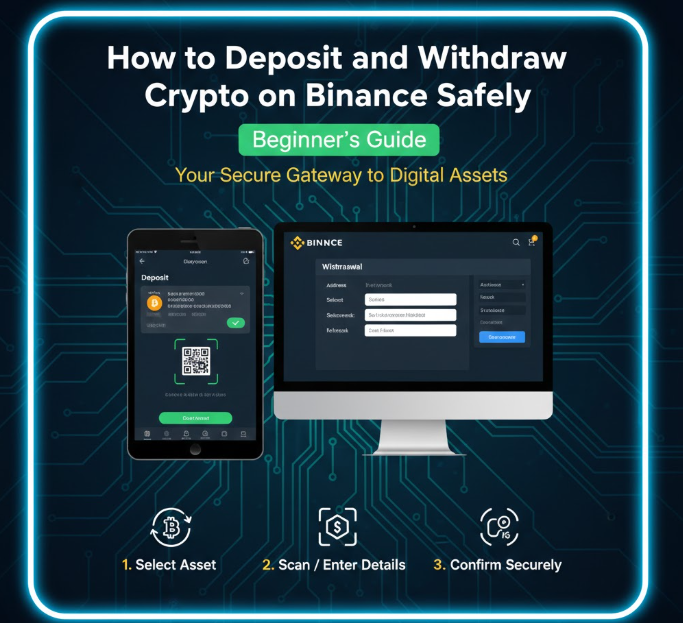
Using Binance to deposit and withdraw cryptocurrency is one of the most important steps for anyone trading or investing in digital assets. Doing this incorrectly can lead to lost funds, delays, or network errors.
This guide explains how to deposit and withdraw crypto safely on Binance, including wallet addresses, network selection, confirmation times, and essential safety tips to protect your funds.
Step 1: Understanding Crypto Wallets and Addresses
Every cryptocurrency operates on a blockchain and uses wallet addresses to send or receive funds.
-
A wallet address is like a bank account number, but for crypto.
-
It is unique for each cryptocurrency.
-
Sending funds to the wrong address or blockchain network can result in permanent loss.
Example:
-
Bitcoin uses BTC addresses
-
Ethereum uses ETH addresses
-
Binance Coin (BNB) uses BSC or BEP2/BEP20 addresses
Tip: Always double-check the address before sending crypto.
Step 2: Depositing Crypto to Binance
Step 2.1: Log in to Binance
-
Open your Binance account
-
Go to Wallet → Fiat and Spot → Deposit
Step 2.2: Select the Cryptocurrency
-
Choose the cryptocurrency you want to deposit
-
Example: BTC, ETH, BNB, USDT
Step 2.3: Choose the Correct Network
-
Many cryptocurrencies support multiple networks
-
Example: USDT can be on Ethereum (ERC20), Binance Smart Chain (BEP20), or Tron (TRC20)
Important:
-
Using the wrong network can permanently lose your funds.
-
Always match the network used by the sending wallet with the one selected on Binance.
Step 2.4: Copy the Deposit Address
-
Binance will provide a unique wallet address for your deposit
-
Copy it carefully or use the QR code
-
Do not manually type it to avoid errors
Step 2.5: Send Crypto
-
Go to your external wallet or another exchange
-
Paste the copied address and select the correct network
-
Confirm the amount and send
Step 2.6: Wait for Confirmations
-
Blockchain transactions need confirmations
-
Bitcoin may take several confirmations (~10–30 minutes)
-
Ethereum can take ~1–5 minutes depending on network congestion
Once confirmed, your deposit will appear in your Binance wallet.
Step 3: Withdrawing Crypto from Binance
Step 3.1: Log in and Go to Withdraw
-
Navigate to Wallet → Fiat and Spot → Withdraw
Step 3.2: Select the Cryptocurrency
-
Choose the coin you want to withdraw
-
Example: ETH, BTC, USDT
Step 3.3: Enter the Recipient Wallet Address
-
Paste the address of the external wallet you want to send to
-
Double-check for typos
-
Always copy directly from the receiving wallet
Step 3.4: Choose the Correct Network
-
As with deposits, ensure you select the network supported by the receiving wallet
-
Wrong network = lost funds
Step 3.5: Confirm the Transaction
-
Enter the amount to withdraw
-
Binance will show the network fee and estimated time
-
Confirm 2FA (two-factor authentication) if enabled
-
Submit the withdrawal
Step 3.6: Wait for Blockchain Confirmation
-
Each blockchain has its own confirmation time
-
Check the transaction on the blockchain using the transaction ID (TxID)
Step 4: Safety Tips for Deposits and Withdrawals
-
Always verify wallet addresses
-
One wrong character can result in permanent loss
-
-
Use correct networks
-
Sending ERC20 tokens to a BEP20 address is irreversible
-
-
Enable Two-Factor Authentication (2FA)
-
Protects your Binance account from unauthorized withdrawals
-
-
Use a hardware wallet for large amounts
-
Cold wallets are safer than keeping large funds on exchanges
-
-
Double-check fees
-
Network fees vary by coin and network
-
Ensure you account for these in your withdrawal amount
-
-
Test small amounts first
-
If sending large funds to a new address, send a small test amount first
-
-
Beware of phishing and fake websites
-
Always use the official Binance website or app
-
Check URLs carefully
-
Step 5: Understanding Confirmation Times
-
Bitcoin (BTC): 10–60 minutes depending on network congestion
-
Ethereum (ETH): ~1–5 minutes
-
Binance Coin (BNB on BSC): 1–2 minutes
-
USDT (depends on network):
-
ERC20: 1–5 minutes
-
BEP20: 1–2 minutes
-
TRC20: <1 minute
-
Confirmation times depend on:
-
Network congestion
-
Blockchain protocol
-
Network fees paid
Tip: Higher fees often mean faster confirmations on some blockchains.
Step 6: Common Mistakes to Avoid
-
Sending crypto to the wrong wallet address
-
Using the wrong blockchain network
-
Ignoring two-factor authentication
-
Sending unsupported tokens to Binance
-
Not testing with a small amount before sending large funds
-
Falling for phishing emails asking for Binance credentials
Avoiding these mistakes will prevent most common crypto losses.
Final Thoughts
Depositing and withdrawing cryptocurrency on Binance is safe when done carefully. Always:
-
Verify wallet addresses
-
Use the correct network
-
Enable security features
-
Test small amounts first
Following these steps ensures your crypto transactions are secure, fast, and hassle-free.