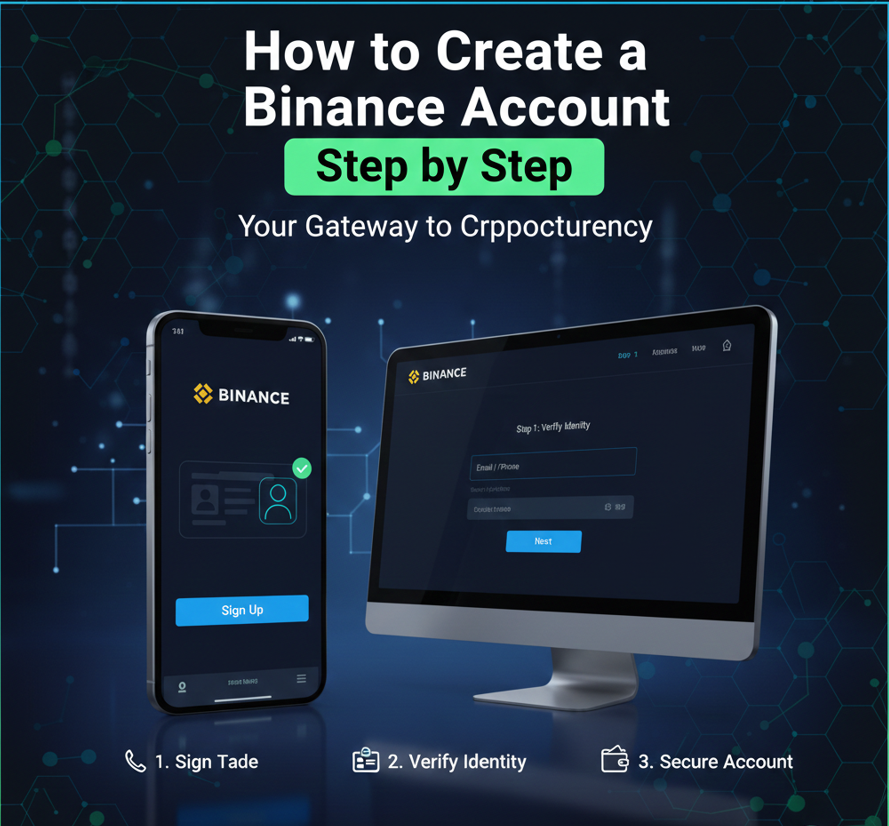
Binance is one of the world’s largest cryptocurrency exchanges, used by millions of people to buy, sell, and trade digital assets. If you are new to cryptocurrency, creating a Binance account may seem confusing at first. However, the process is simple when broken down into clear steps.
This guide explains how to create a Binance account from scratch, including sign-up, email verification, security setup, and common mistakes beginners should avoid.
What You Need Before Creating a Binance Account
Before you start, make sure you have the following:
-
A valid email address or mobile phone number
-
A strong password idea
-
A smartphone for security verification
-
A government-issued ID (for identity verification later)
Having these ready will make the process smooth and fast.
Step 1: Visit the Binance Registration Page
To begin, open your web browser or the Binance mobile app and select Create Account.
You will be given two main sign-up options:
-
Register using email
-
Register using mobile phone number
Most beginners prefer using an email address because it is easier to manage and recover.
Step 2: Create Your Binance Account
Enter Your Email or Phone Number
-
Input your active email address or phone number
-
Make sure you can access it immediately
Create a Strong Password
Your password should:
-
Be at least 8 characters long
-
Include uppercase and lowercase letters
-
Include numbers
-
Include special characters
Avoid using:
-
Your name
-
Date of birth
-
Simple passwords like “123456”
A strong password protects your account from unauthorized access.
Step 3: Email or Phone Verification
After submitting your registration details, Binance will send a verification code to your email or phone.
What to Do:
-
Check your inbox or SMS messages
-
Enter the code on the Binance verification page
-
Complete verification within the time limit
If you don’t receive the code:
-
Check spam or junk folders
-
Wait a few minutes and request a new code
Once verified, your basic Binance account will be created.
Step 4: Log In to Your New Binance Account
After verification:
-
Log in using your email/phone and password
-
You will be redirected to your Binance dashboard
At this stage, your account is active, but security features are not yet fully enabled. Do not skip the next step.
Step 5: Set Up Security on Your Binance Account (Very Important)
Security is critical when dealing with cryptocurrency. Binance provides multiple tools to protect your account.
Enable Two-Factor Authentication (2FA)
Two-factor authentication adds an extra layer of security.
Binance supports:
-
Authentication app (recommended)
-
SMS authentication
Recommended option: Authentication app
This generates a time-based code that changes every few seconds.
Once enabled:
-
You will need both your password and verification code to log in
-
Even if someone knows your password, they can’t access your account
Set an Anti-Phishing Code
An anti-phishing code helps you identify genuine Binance emails.
How it works:
-
You create a custom code
-
Binance includes this code in all official emails sent to you
-
Emails without this code should be treated as suspicious
This helps protect you from phishing scams.
Enable Withdrawal Whitelist (Optional but Recommended)
This feature allows withdrawals only to approved wallet addresses.
Benefits:
-
Prevents hackers from withdrawing funds to unknown addresses
-
Adds another security checkpoint
Step 6: Complete Identity Verification (KYC)
To unlock full Binance features, you must complete identity verification.
Why KYC Is Required
-
Regulatory compliance
-
Increased account security
-
Higher deposit and withdrawal limits
What You’ll Need
-
Government-issued ID (passport, national ID, or driver’s license)
-
A clear photo of yourself (selfie or live scan)
Steps
-
Go to account verification section
-
Select your country
-
Upload your ID document
-
Complete face verification
-
Submit for review
Verification usually takes a few minutes to several hours.
Step 7: Secure Your Account Settings
After verification, review your account security settings and ensure:
-
2FA is active
-
Email notifications are enabled
-
Device management is monitored
-
Login alerts are turned on
These settings help you detect suspicious activity early.
Step 8: Explore the Binance Dashboard
Your Binance dashboard includes:
-
Wallet overview
-
Deposit and withdrawal options
-
Buy and sell crypto features
-
Trading tools
-
Account security settings
Beginners should start with:
-
Basic wallet overview
-
Simple buy/sell features
-
Learning how deposits and withdrawals work
Avoid advanced trading tools until you understand how they work.
Common Mistakes Beginners Should Avoid
1. Skipping Security Setup
Many beginners skip 2FA and anti-phishing codes. This is risky and should never be ignored.
2. Using Weak Passwords
Weak passwords are the easiest way hackers gain access to accounts.
3. Clicking Fake Emails or Messages
Scammers often impersonate Binance. Always check sender details and anti-phishing codes.
4. Sending Crypto to the Wrong Network
Always confirm the correct blockchain network before deposits or withdrawals.
5. Trading Without Understanding Fees
Learn about trading fees, withdrawal fees, and conversion costs before making trades.
6. Sharing Login Details
Never share your password, verification codes, or recovery keys with anyone.
Is Binance Safe for Beginners?
Binance offers:
-
Strong security tools
-
Educational resources
-
Account protection features
However, safety also depends on user behavior. Using security features correctly and avoiding scams makes Binance suitable even for beginners.
Final Thoughts
Creating a Binance account is simple when done step by step. By following this guide, you can:
-
Register correctly
-
Verify your email or phone
-
Secure your account properly
-
Avoid common beginner mistakes
Once your account is set up and secured, you can explore cryptocurrency at your own pace with confidence.